

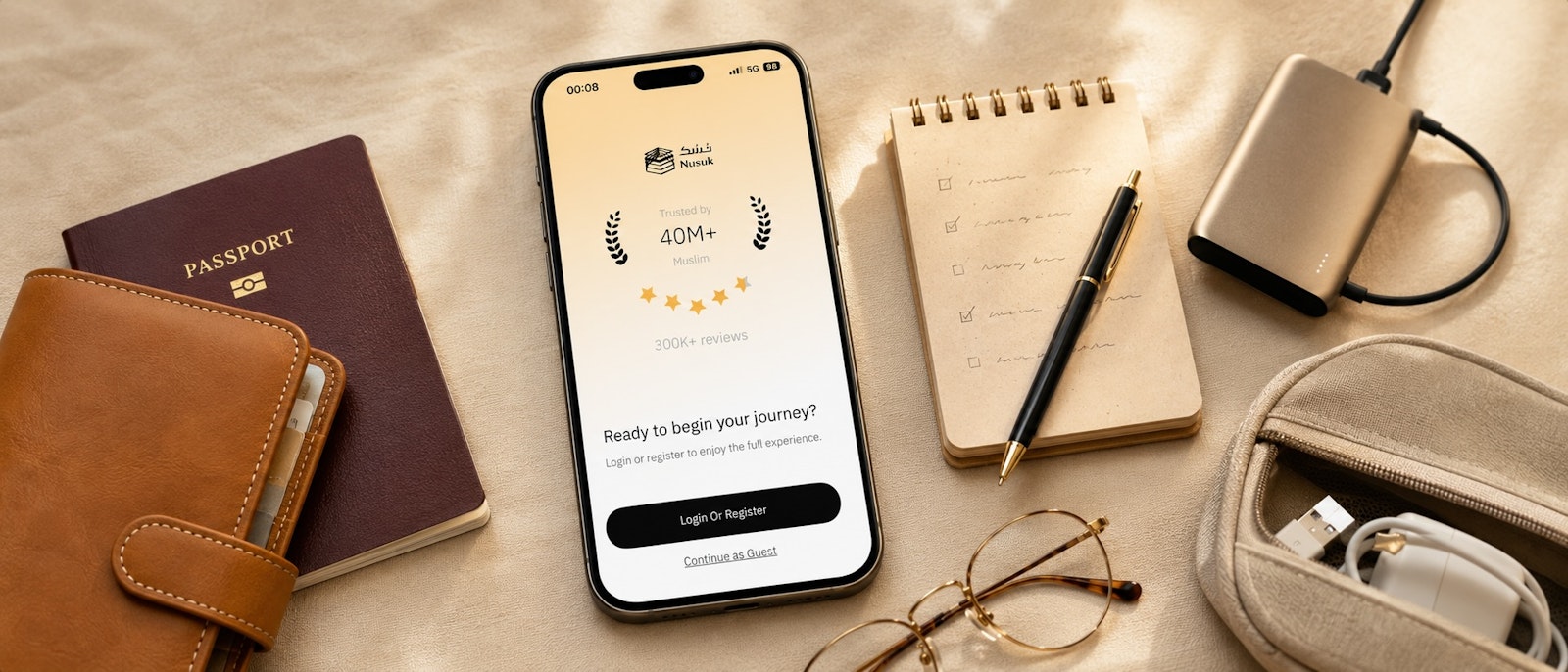
Nusuk App Guide 2026: How to Book Umrah & Rawdah Permits
Nusuk App Guide for Umrah
Is the Nusuk app confusing you with login errors, missing permits, or mysterious verification codes that never arrive? You're not alone. While the Nusuk app is mandatory for all Umrah pilgrims in 2026, many first-time users struggle with its interface, registration process, and booking system.
The good news? Once you understand how it works, the Nusuk app is your digital gateway to a seamless Umrah experience. It manages your permits, tracks your bookings, and even helps you navigate the holy sites. For DIY pilgrims who book hotels independently, the Nusuk app complements your trip by giving you direct access to official government services—no middleman, no package tour required.
Let's break down everything you need to know about the Nusuk app, troubleshoot common issues, and ensure your permits are secured well before your departure.
What is the Nusuk App and why is it mandatory for Umrah?
The Nusuk App (and its web platform) is Saudi Arabia's official digital portal for managing your Umrah pilgrimage, launched as part of Vision 2030's digitisation initiative. Think of it as a combination of your spiritual itinerary manager, all-in-one permit system, and access pass to the holy sites.
Umrah Permit Booking
Required to enter Masjid al-Haram during your selected time slot
Rawdah Appointment
Secure a timed entry to the Al-Rawdah Al-Sharifah (the blessed area in Masjid an-Nabawi)
Travel Companion Management
Add family members and children to your account
Ziyarat Reservations
Book visits to historic Islamic sites in Makkah and Madinah (optional)
Prayer Time Notifications
Integrated prayer reminders linked to your location
Digital Permit Storage
Access your permits offline without needing printed copies
Is the Nusuk App mandatory for every pilgrim in 2026?
Yes, it is compulsory for most pilgrims. As of 2026, all international Umrah pilgrims arriving via Tourist e-Visa or Umrah Visa must book an Umrah permit through Nusuk before entering Masjid al-Haram.
Exceptions
GCC Nationals (Saudi residents) can enter without a permit during non-peak times, though booking through Nusuk is recommended to plan ahead.
Why is it Mandatory?
The Saudi government uses Nusuk to manage crowd flow and ensure safety, especially during peak seasons like Ramadan. By allocating specific time slots, they prevent dangerous overcrowding and improve your experience as a pilgrim.
Step-by-step: How to register and log in on the Nusuk App
Creating your account as an international visitor
Step 1: Select user type
Choose "Visitor" (if you're an international pilgrim) or "Resident" (if you hold a Saudi Iqama)
Step 2: Enter your information
Full name, passport number, nationality: date of birth, email address, mobile Number: Enter with country code (e.g., +44 for UK)
Step 3: Verify your mobile number
A One-Time Password (OTP) will be sent via SMS, enter the 6-digit code. If the code doesn't arrive? See "Troubleshooting OTP Issues" below
Step 4: Create your password
Use a strong password (8+ characters, mix of letters, numbers, symbols) and save it securely
Step 5: Complete your profile
Upload a passport photo, add your visa details and enter your hotel information in Makkah and/or Madinah
Troubleshooting: Nusuk App not sending verification codes (OTP issues)
Problem: "I'm not receiving the SMS verification code."
Solution | Details |
|---|---|
Check Your Mobile Number Format: | Must include country code (e.g., +44 for UK, not just 44) |
Enable International SMS | Contact your UK mobile provider and ensure international SMS reception is active |
Check SMS Inbox and Spam | Sometimes OTPs arrive in "Blocked Messages" or "Spam" folders |
Try Email Verification (if available) | Newer versions of Nusuk offer email OTP as an alternative |
Wait 10-15 Minutes | SMS can be delayed due to network congestion |
Use a Different Phone Number | If possible, try registering with a family member's number or a Saudi SIM card (you can change it later in settings) |
Managing your group: How to add friends and family members
Travelling with family? You'll need to add them as friends and family to book permits together.
Adding friends in the Nusuk app for visitors: A detailed guide
Important: Each companion must have their own valid visa to be added. You cannot add someone who doesn't have legal entry permission.
Step 1: Access the "Friends" section
Open the Nusuk app, tap "My Profile" or "Settings", select "Manage Friends"
Step 2: Add a new friend
Tap "Add Friend": Full name, passport number, nationality: date of birth,relationship (spouse, child, parent, sibling), gender
Step 3: Upload supporting documents
Passport copy of the companion, visa copy (for separate visas), relationship proof (marriage certificate, birth certificate) only if travelling as a family and required by the app
Step 4: Submit for verification
Nusuk will verify the companion's details against immigration records (1-24 hours). You'll receive a notification once they're approved.

Pro tip
Each companion must have their own valid visa to be added. You cannot add someone who doesn't have legal entry permission.
How to add children to the Nusuk app (age requirements and limits)
→ Children aged 5 and over need their own Umrah permit
→ Children under 5 may not — check at the time of booking as this varies by season and policy
→ To add a child: follow the same steps as an adult companion, select "Child" as the relationship and upload their passport copy
→ There is no limit on how many children you can add
Pro tip
When booking hotels on Halalbooking, select family-friendly accommodation with connection rooms or suites to make it easier to manage your group.
Solving common issues: Not able to add a friend in the Nusuk app
Problem: "The app says I can't add a friend" or "Add Friend button is greyed out."
Solution | Details |
|---|---|
Incomplete Profile | Ensure your own profile is 100% complete (visa details, passport photo, hotel info) |
Visa Not Approved Yet | If you or your companion has just received your visa, wait 24-48 hours for the system to sync with immigration databases |
Relationship Restrictions | Some visa types (e.g., business visas) may restrict who can be added as companions |
App Cache Issues | Clear the app cache: Go to phone settings → Apps → Nusuk → Clear Cache |
Maximum Companions Reached | Some accounts have a limit (typically 10 companions) |
Booking your permits: Umrah and the Rawdah (Prophet's Mosque)
What is an Umrah permit in the Nusuk App and how to book it?
An Umrah Permit is a reservation with a fixed time slot that grants you access to Masjid al-Haram to perform Tawaf and Sa'i. It's not a visa — it's an additional layer of crowd management.
How to book:
Is it Free? Yes! Umrah permits are completely free in 2026 (though this has varied in past years).
Step 1: Open "Umrah permit" section
Tap "Services" → "Book Umrah Permit"
Step 2: Select date and time
Choose your preferred date (you can book up to 90 days in advance), select a time slot (e.g., 8:00 AM - 12:00 PM), peak times: fajr, maghrib, isha, best availability: mid-morning (10 AM - 1 PM) and mid-afternoon (2 PM - 5 PM)
Step 3: Select companions
If you've added family members, you can book for multiple people in one transaction. Each person gets their own digital permit
Step 4: Confirm and submit
Review details → Tap "Confirm Booking" → You'll receive a confirmation notification and email
How to book the Rawdah slot: Why the calendar might appear empty
Al-Rawdah Al-Sharifah is the blessed area between the Prophet's ﷺ pulpit and his chamber, where he is buried, in Masjid an-Nabawi. It's one of the most sought-after appointments.
Booking Process:
Step 1: Navigate to "Rawdah appointment"
Tap "Services" → "Book Rawdah Visit"
Step 2: Select date
Rawdah slots are released 7-14 days in advance, but only 3-5 days ahead during peak seasons. Refresh the app for new dates.
Step 3: Choose time and gender
Men's Sessions: Early morning/late evening. Women's Sessions: Late night (after Isha)/some afternoons. Duration: 30-45 minutes (strictly enforced).
Step 4: Confirm booking
Once booked, you'll receive a QR code to scan at the Rawdah entrance
Pro tip
Rawdah slots fill up within minutes when released. Set a reminder to check the app daily starting 10 days before your intended visit. Book as soon as you see availability.
Troubleshooting: Nusuk App for Rawdah not working or not showing permits
Problem: "I can't see my Rawdah permit after booking", or "The app crashes when I try to view it."
Solution | Details |
|---|---|
Check "My Bookings" | Go to "My Profile" → "My Bookings" |
Sync Your Account | Pull down to refresh the screen (forces data sync) |
Log out and Log in | Sometimes a fresh login resolves display issues |
Screenshot Your Permit | Immediately after booking, screenshot the confirmation screen (including QR code) |
Check Email Confirmation | Nusuk sends a confirmation email with permit details |
Pro tip
If Permit is Genuinely Missing: contact Nusuk support immediately (see below) and have your booking reference number ready
Navigating the platform: Nusuk Website vs. Nusuk App
What's the difference?
Feature | Nusuk App (Mobile) | Nusuk Website |
|---|---|---|
Platform | iOS, Android | Web browser (nusuk.sa) |
Best For | On-the-go bookings, permit access | Initial registration, detailed management |
Offline Access | Yes (permits saved locally) | No (requires internet) |
Ease of Use | Simple to use on the go | More detailed, better for complex edits |
Help & Support: Nusuk App Contact Number and Official Support Channels
How to Reach the Nusuk App Contact for Immediate Assistance
Official Support Channels:

Nusuk Hotline (Call Centre):
Phone: +966 920002814
24/7 (English and Arabic support)
Urgent issues (missing permits, login problems)

In-App Support Chat
Open the app → Tap "Help" or "Support"
Live chat available 8:00 AM - 11:00 PM (Saudi time)

Email Support
Email: support@nusuk.sa
Response Time: 24-48 hours

Social Media
Twitter: @MyNusuk
Fast responses for common issues

Visit Service Centres
Makkah: Nusuk service desk at King Abdulaziz Gate (Masjid al-Haram)
Madinah: Service desk at King Fahd Gate (Masjid an-Nabawi)
Pro tip
Take a screenshot of any error messages before contacting support. This helps them diagnose issues faster.
Frequently Asked Questions
Quick answers about Nusuk App
Can I perform Umrah without a Nusuk permit?
Technically, no, but enforcement varies. In 2026, Nusuk permits are mandatory for organised entry to Masjid al-Haram during Umrah. However, outside peak times (e.g., midday on weekdays), some entry gates may allow pilgrims without permits if crowds are light. That said, always book a permit to guarantee entry - being turned away at the gate would be devastating.
How do I add a companion or family member (including children) to my Nusuk account?
Go to "My Profile" → "Manage Friends" → "Add Friend" Enter their passport details, upload their documents (passport copy, visa), and specify your relationship. For children, select "Child" as the relationship type. Children under 12 may not require separate permits, but it's safest to add them anyway for tracking purposes.
What should I do if the Nusuk app is not sending the verification code?
First, ensure your mobile number includes the full country code (e.g., +44 for UK). If the code still doesn't arrive, check with your mobile provider that international SMS is enabled. Clear your phone's SMS cache, wait 10-15 minutes, and try again. As a last resort, use a different phone number or contact Nusuk support at +966 920002814.
Is the Umrah permit on the Nusuk app free?
Yes! As of 2026, booking an Umrah permit through Nusuk is completely free. There's no fee for the permit itself, though you may incur costs for your visa, flights, hotels, and transfers. Beware of third-party websites charging "booking fees" - always use the official Nusuk app or website.
What should I do if the Nusuk app shows "No Permits Available" for Umrah or Rawdah?
For Umrah permits: This usually means your selected time slot is fully booked. Try a different time or date. Mid-morning and mid-afternoon slots have better availability. For Rawdah permits: Remember that Rawdah slots are released only 7--14 days ahead normally; 3-5 days ahead during Ramadan. If the calendar is empty, check back daily. Set a morning alarm to refresh the app - slots fill up fast!
How many days in advance should I book my Rawdah permit?
Rawdah slots are typically released 7-14 days before the date (not 90 days like Umrah permits). During peak seasons (Ramadan, Dhul-Hijjah), they may appear just 3-5 days before. Start checking the app 10 days prior to your intended visit, and book immediately when you see availability - slots vanish within minutes.
How many times per year can I book a Rawdah permit?
As of 2026, there's no strict annual limit for Rawdah appointments. However, you can typically only hold one active booking at a time. Once you've completed your visit, you can book again. During peak seasons, the system may restrict frequent bookings to give more pilgrims a chance.
Is a local Saudi SIM card required to use the Nusuk app?
No, but highly recommended. You can register with any international mobile number. However, having a local Saudi SIM card or eSIM ensures you receive OTP codes reliably and can use the app's GPS-based services. Many pilgrims buy a Saudi SIM at the airport (Mobily, STC, Zain) for SAR 50-100, which includes data for the app.
How can I contact Nusuk for support if I encounter a technical error?
Call the Nusuk Hotline at +966 920002814 (24/7 support). Alternatively, use the in-app chat feature (open the app → "Help" → "Live Chat"). For non-urgent issues, email support@nusuk.sa. If you're already in Saudi Arabia, visit the Nusuk service desk at
King Abdulaziz Gate (Makkah) or King Fahd Gate (Madinah).
Do I need to show my Nusuk permit at the entrance of the Grand Mosque?
Yes. At designated entry gates, you'll scan your Nusuk permit QR code (displayed in the app). The system verifies your identity against your passport. Always have your permit ready on your phone - save an offline screenshot in case of connectivity issues. Some gates also accept printed permits.
Your pilgrimage in the safest hands online
The world's #1 halal-friendly booking platform. Officially aligned with Saudi authorities, airline and lifestyle rewards programs.






Scan the QR code with your phone camera to download it.


Ready to Start Your Umrah Journey?
Book your accommodation near the Haram with confidence. Refundable options available.